📱 App Research Toolkit for iOS

Save. Organise.
Analyse Apps.

The ultimate toolkit for researching apps from the App Store. Collect competitors, track trends, analyse keywords, and export your findings.
5.0 Rating
iOS 17.4+
iPhone & iPad
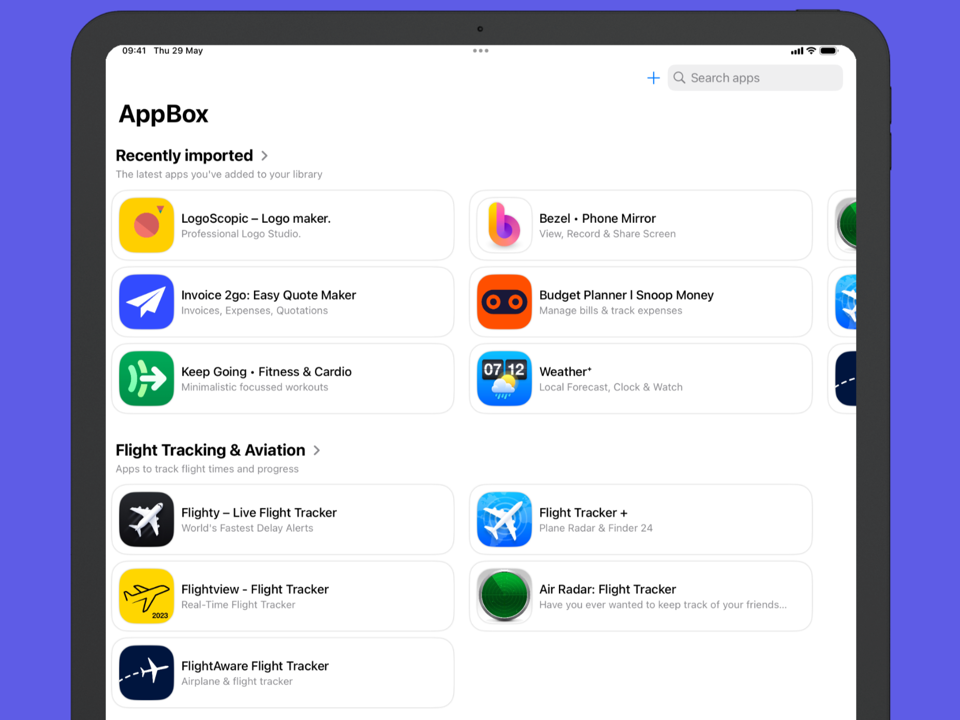
AppBox app showing saved apps collection

New in Version 1.2

  • Refresh apps to get the latest App Store data
  • Track price, rating & version history over time
  • Add tags and custom fields to organise your apps
  • Search apps by name or tags
  • Redesigned version history with beautiful card layout
  • Responsive grid view on iPad
  • Faster search performance
  • Improved app startup speed
Collect

Save Apps from Anywhere

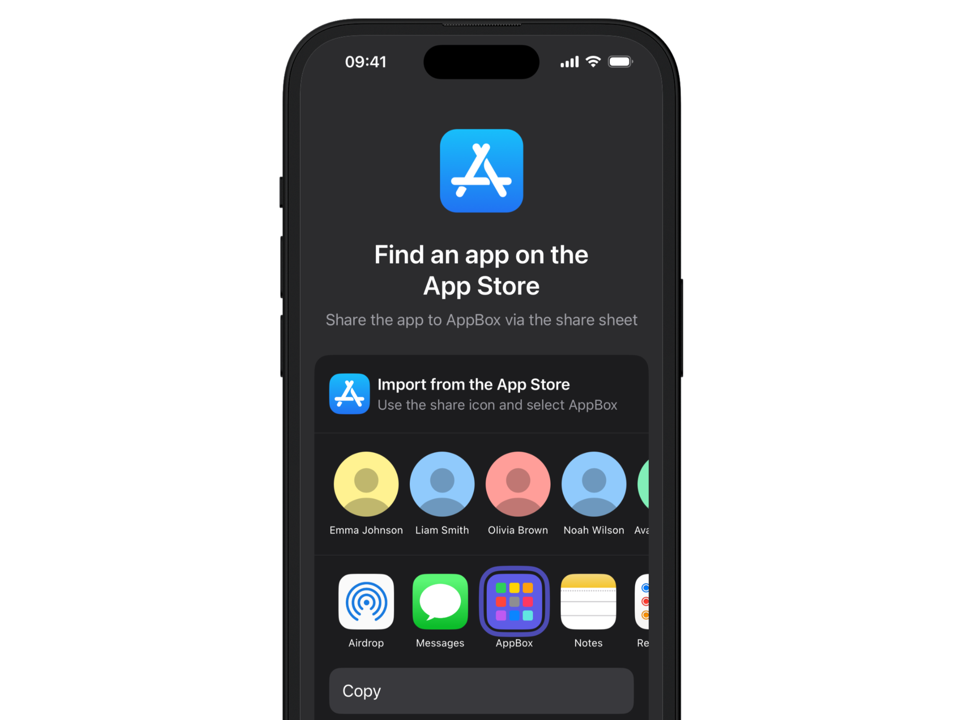
Found an interesting app? Save it instantly using the iOS Share Sheet directly from the App Store or Safari. Import apps from any Apple platform—iPhone, iPad, Mac, Apple Watch, Apple TV, or Vision Pro.

Build your personal library of apps for research, inspiration, or just to remember for later.

See how it works →
Save apps using the share sheet
Organise

Group Apps Your Way

Create collections to organise apps by project, platform, competitor, or design pattern. Add custom tags and fields to categorise apps however you need.

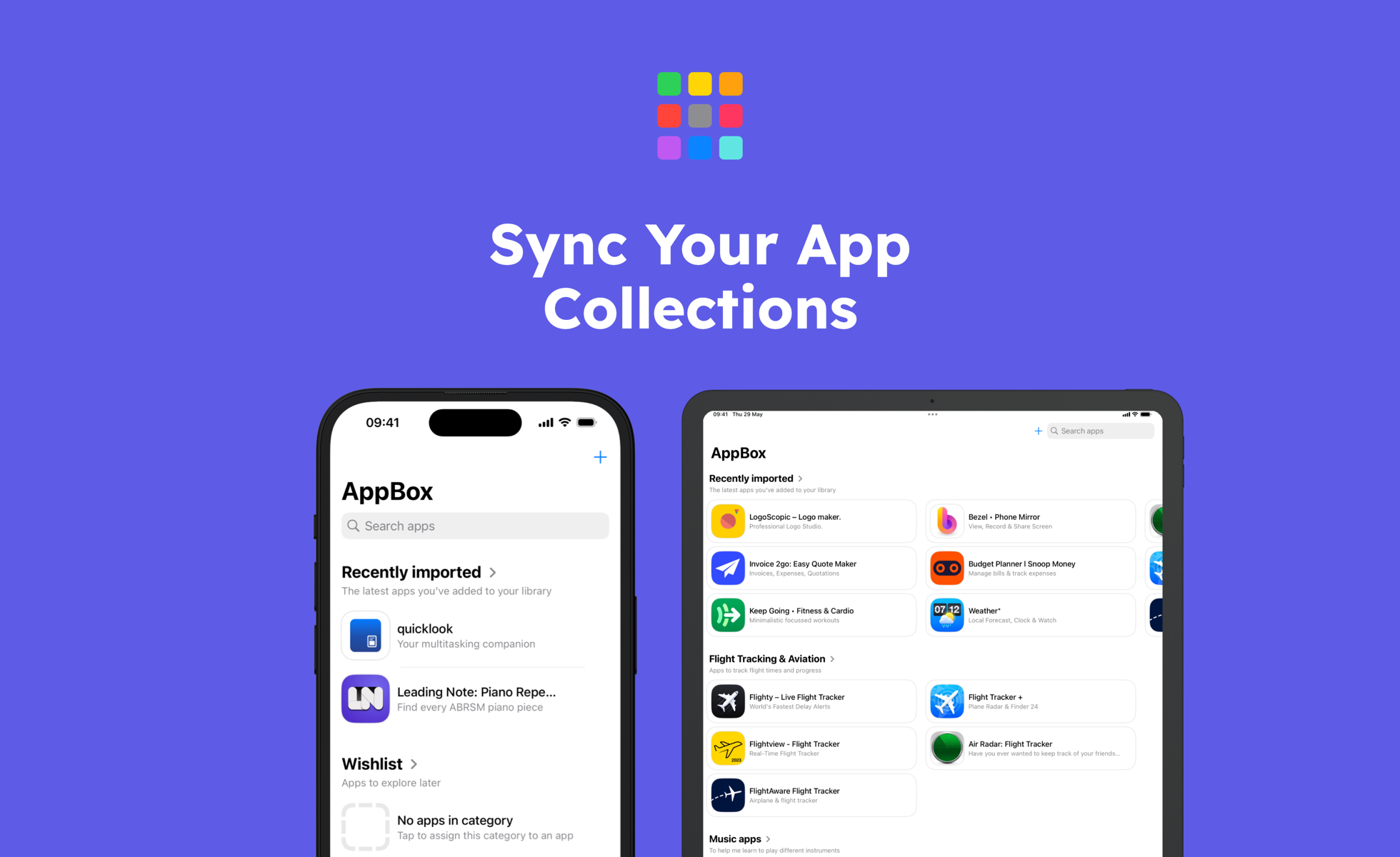
Your collections sync seamlessly between iPhone and iPad via iCloud, so your research is always at hand.

Organise apps into collections
Analyse

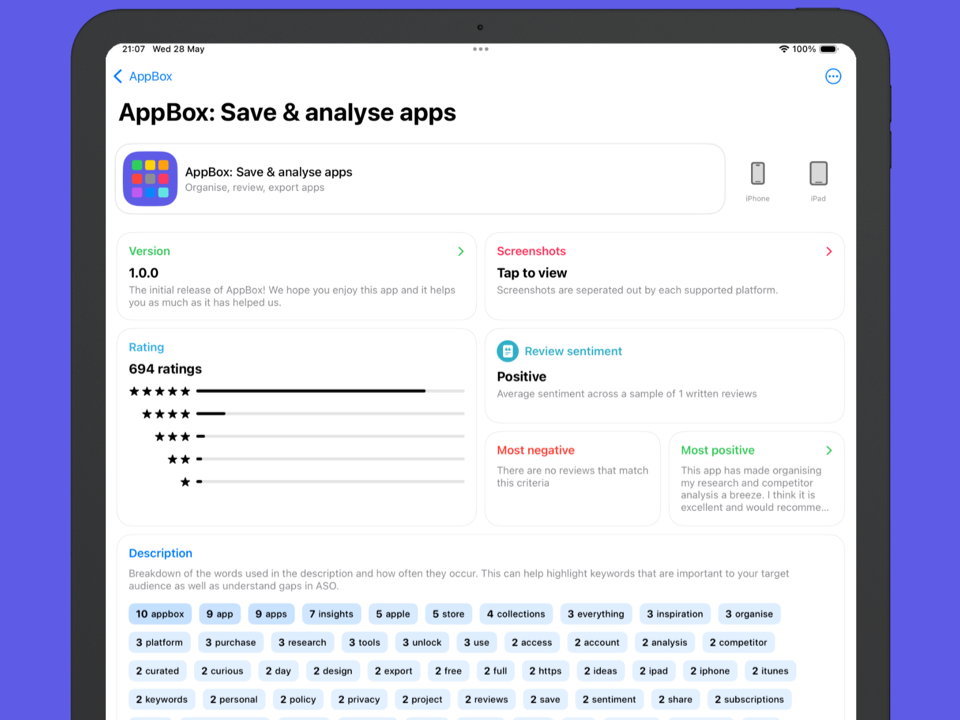
Deep Insights at Your Fingertips

Go beyond the surface. Analyse keyword frequency in app descriptions, review user sentiment from up to 500 reviews, and identify device support patterns.

Track update frequency to see how actively apps are maintained. Spot trends and make informed decisions about your own app strategy.

Analyse app insights and keywords
Track

Monitor Changes Over Time

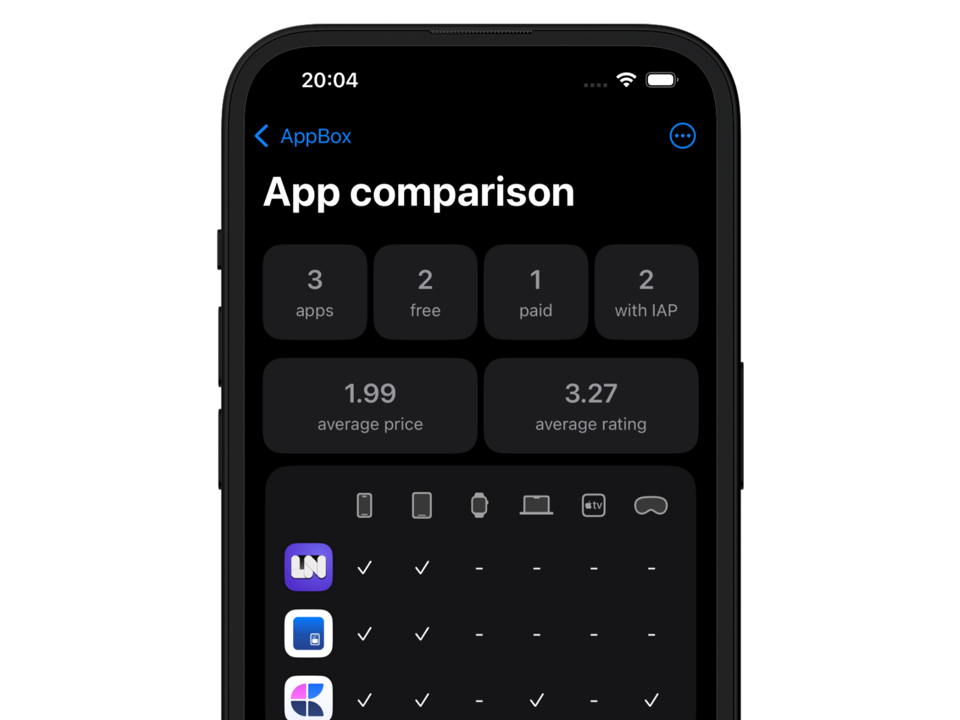
Refresh your saved apps to capture the latest App Store data. Track price changes, rating fluctuations, and version history over time.

See exactly when competitors update their apps and what changes they make. Never miss a market shift again.

Track app history and changes
Export

Take Your Data Anywhere

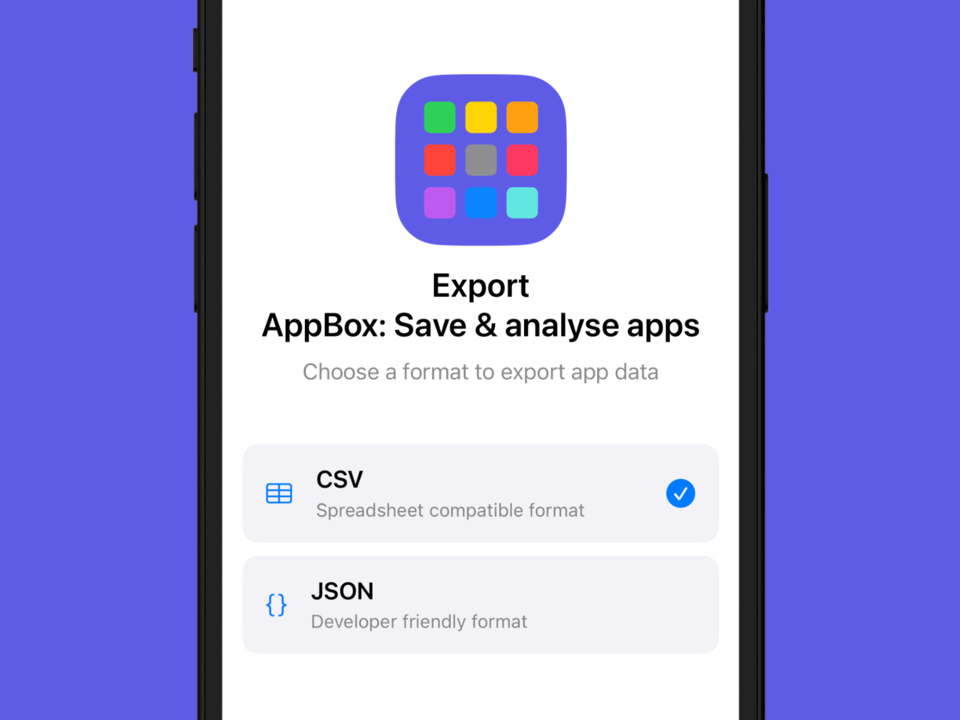
Export your collections in CSV or JSON formats. Perfect for sharing with your team, importing into spreadsheets, or building custom reports.

Your research, your data, your format.

Export collections to CSV or JSON
How It Works

Start Researching in Seconds

AppBox integrates seamlessly with iOS. No accounts, no complicated setup—just download and start saving apps.

1

Find an App

Browse the App Store or find apps in Safari

2

Tap Share

Use the iOS Share Sheet and select AppBox

3

Choose a Collection

Save to an existing collection or create a new one

4

Explore Insights

View detailed analytics and track changes over time

And More

Everything You Need

Built for product managers, developers, designers, and anyone who wants to understand the App Store better.

🔍

Smart Search

Find apps quickly by name or tags. Improved search with debounce and caching for instant results.

🏷

Tags & Custom Fields

Add tags and custom fields to organise apps your way. Create your own categorisation system.

🔄

Refresh & Sync

Pull to refresh apps with the latest App Store data. Your collections sync via iCloud across devices.

🔒

Privacy First

No personal data collection. Your app data stays on your device and in your personal iCloud account.

📱

Multi-Platform

Save apps from iPhone, iPad, Mac, Apple Watch, Apple TV, and Vision Pro—all in one place.

📊

Version History

Beautiful card-based version history showing release notes, dates, and what changed over time.

Built For

Perfect For

📋

Product Managers

Research competitors, track market trends, and make data-driven product decisions.

👨‍💻

Developers

Study successful apps, understand update patterns, and plan your development roadmap.

🎨

Designers

Collect UI inspiration, analyse design patterns, and build mood boards of great apps.

🚀

Indie Makers

Validate ideas, research niches, and understand what makes apps successful.

Pricing

Simple, Fair Pricing

Start free with generous limits. Unlock everything with a one-time purchase.

Free
to get started • Unlock Pro for just £9.99
  • Save up to 3 apps per day (free)
  • Watch an ad for daily insights access (free)
  • Unlimited app saves (Pro)
  • Full analytics and insights (Pro)
  • Review sentiment analysis (Pro)
  • Price and version history tracking (Pro)
  • Export to CSV and JSON (Pro)
  • One-time purchase, no subscription
Download on the App Store
Reviews

What Users Are Saying

"Since downloading I've archived 10 apps and saved nearly 1GB of storage. Perfect for keeping track of apps I might want to revisit."

App Store Review

"Essential tool for competitive research. The keyword analysis and review sentiment features save me hours of manual work."

Product Manager

"Finally a proper way to organise app inspiration. The Share Sheet integration makes it so easy to save apps while browsing."

iOS Designer

FAQ

Frequently Asked Questions

What platforms can I save apps from?

You can save apps from any Apple platform—iPhone, iPad, Mac, Apple Watch, Apple TV, and Vision Pro. AppBox supports apps from all App Store categories across all Apple devices.

Do my collections sync across devices?

Yes! Your collections sync automatically between iPhone and iPad via iCloud. Your app library is always with you, no matter which device you're using.

What's included in the free version?

The free version lets you save up to 3 apps per day. You can also watch an ad to unlock daily access to premium insights. Collections, organisation, and basic app details are always free.

What do I get with Pro?

Pro unlocks unlimited app saves, full analytics including keyword analysis and review sentiment (up to 500 reviews), price and version history tracking, and export to CSV/JSON. It's a one-time purchase of £9.99—no subscription required.

What data do you collect?

AppBox doesn't collect any personal data. All app data is stored locally on your device and synced via your personal iCloud account. The only third-party service is Google AdMob for optional, non-personalised ads in the free version.

How do I import apps?

Simply use the iOS Share Sheet. When viewing an app in the App Store or on an app's webpage in Safari, tap the Share button and select AppBox. Choose a collection and you're done!

Can I export my data?

Yes! Pro users can export collections in CSV or JSON formats. Your exports include app metadata and your organisational details—perfect for sharing with your team or importing into other tools.

Ready to Level Up Your App Research?

Download AppBox and start building your app intelligence library today.

Free to download • Pro unlock £9.99 • iOS 17.4+